
Mail, calendar & contacts

OrcaMail

Your mail, calendar and contacts. One native app.

OrcaMail brings mail, calendar and contacts together in one native app for iPhone, iPad and Mac. It speaks JMAP, the modern open standard for mail, and works with your own server, such as Stalwart. Everything is stored on your device, so it opens instantly, searches offline and keeps every change safe until you are back online. No ads, no trackers, and remote images stay blocked until you allow them.

  • Mail, calendar and contacts in one app
  • Unified inbox across all your accounts
  • Read, search and triage offline
  • Remote images blocked by default
  • Free to download, Pro free for a month
Download on theApp StoreLink coming soon
A tidy white desk by a bright window, with a laptop, a desk lamp and a small globe

What you install and where you use it.

One app with everything you need: mail, calendar and contacts, side by side.

OrcaMail app icon

Mail

A fast, familiar mail app in the spirit of Apple Mail, with the extras you reach for every day.

  • Unified inbox, threaded conversations and smart lists like Unread, Flagged and Follow Up
  • Swipe actions with undo, multi-select, snooze, mute and VIPs
  • Rich text compose with signatures per address, Send Later and Undo Send
  • One-tap unsubscribe and highlights for flights and tracking numbers

OrcaMail app icon

Calendar & contacts

Your calendar and address book live next to your mail and sync over the same account.

  • Year, month, week, day and agenda views, with repeating events and alerts
  • Send invitations and answer them, so organizers get a real reply
  • Contacts with photos and groups, vCard import and export, and duplicate merge
  • Optionally show your Apple Calendar and Contacts next to your server data

From sign-in to inbox zero.

A laptop on a desk next to a pen and handwritten notes
1

Sign in to your server

Enter your server address and sign in with an app password or your provider's login. Add as many accounts as you like.

A laptop on a white desk next to a potted plant, glasses and a phone
2

Everything comes to your device

OrcaMail downloads your mailboxes, calendars and contacts once and then only fetches what changed.

A hand holding an iPhone
3

Work through your day

Read, reply, file and flag, also on a train without signal. Every change is kept and sent as soon as you are back online.

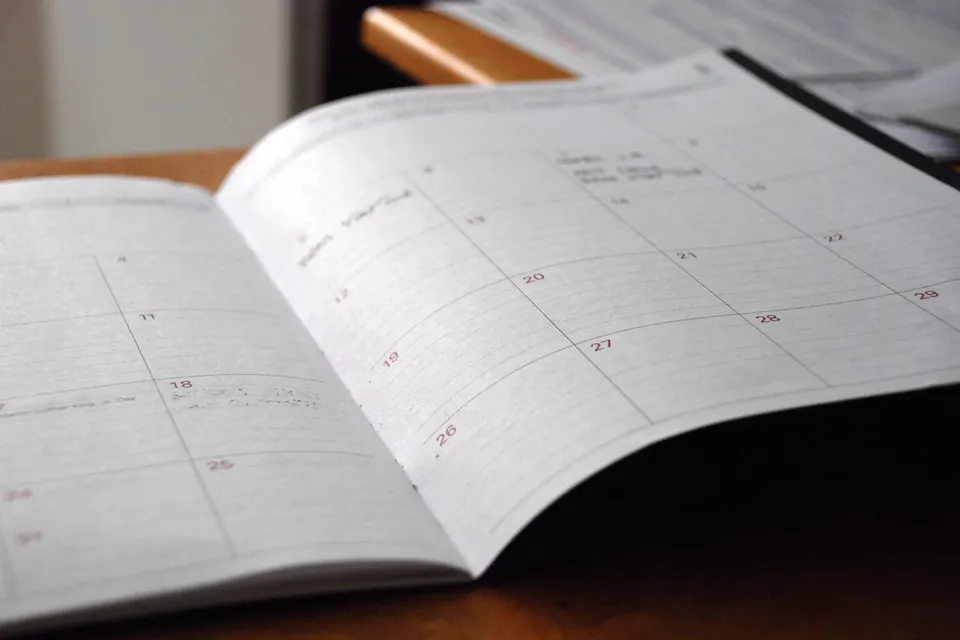
An open paper calendar lying on a wooden desk
4

Stay on top of your plans

Accept an invite right from the message, and see upcoming events and recent mail on every contact card.

Why OrcaMail feels good to use.

Hands typing on a laptop on a wooden desk

Fast, even with a huge mailbox

OrcaMail keeps your mail on your device, so it never makes you wait.

  • Opens instantly and scrolls smoothly through tens of thousands of messages
  • Search runs on your device first and is merged with server results
  • Bodies and attachments load ahead of time for the messages you are looking at
Someone on the move reads on a phone, a backpack on their lap

Works offline, loses nothing

Once you see a change on screen, it is safe.

  • Read, search, flag, file and write without a connection
  • Changes are saved on the device and sent in order when you are back online
  • Drafts and queued messages survive a restart
A laptop on a white desk next to a potted plant, glasses and a phone

Private by default

No ads, no trackers, and nothing you did not ask for.

  • Remote images are blocked until you allow them for a message or sender
  • No analytics, and no read receipts sent behind your back
  • Optional app lock with Face ID or Touch ID
  • Push notifications are end-to-end encrypted, with OrcaMail Push or your own relay
A clean desk with a desktop computer, keyboard and mouse

Made for iPhone, iPad and Mac

One app that feels at home on every device.

  • Three columns on Mac and iPad, a focused layout on iPhone
  • Separate windows, menus and keyboard shortcuts on the Mac
  • Dark Mode, Dynamic Type, VoiceOver and Reduce Motion
  • In English and German

Free to start. Pro when you want more.

Privacy and the basics are never paid. Pro is about convenience.

€0

  • One account
  • Mail, calendar and contacts
  • Offline use and search
  • Remote images blocked, no trackers, app lock
  • Undo Send, swipe actions, smart lists
  • Push through your own relay

€19.99 a year

or €1.99 a month · first month free

  • Any number of accounts in one inbox
  • OrcaMail Push, end-to-end encrypted, no relay of your own needed
  • Send Later and Snooze
  • Highlights for flights and parcel tracking
  • Translation on your device
  • Compose from the menu bar on the Mac
  • Settings synced over iCloud
  • First month free for new subscribers
  • Share Pro with up to five family members
  • Cancel anytime in your Apple Account settings
  • Prices may vary by country

Private by design.

Your mail stays between your devices and your own server. No ads, no trackers, and remote content only when you allow it.

  • Passwords and tokens are stored only in the Keychain
  • Messages are shown with scripts off and remote content blocked
  • No analytics or third-party tracking code
  • Optional app lock with Face ID, Touch ID or your passcode
  • OrcaMail Push only ever sees end-to-end encrypted notifications (RFC 8291)
  • Mail, calendar and contacts stay on your server, not in someone else's cloud

What OrcaMail works with.

  • A mail server that speaks JMAP, such as Stalwart
  • Fastmail, for mail and contacts (Fastmail offers no calendars to other apps)
  • Mail (RFC 8621), contacts (RFC 9610) and calendars over JMAP
  • Sign-in with an app password, a token or OAuth
  • Several accounts at once, with a unified inbox
  • Optional: your Apple Calendar and Contacts on the device
  • Push notifications: OrcaMail Push (Pro) or your own relay (free)

How you start using it.

Check your server

OrcaMail needs a mail server with JMAP, for example Stalwart. Your provider or admin can tell you if yours supports it.

Add your account

Enter the server address and sign in with an app password or your provider's login.

Turn on notifications

With Pro, OrcaMail Push alerts you right away, with nothing to set up. Or connect a relay of your own next to your server, which is free.

Make it yours

Pick your swipe actions, signatures, Undo Send delay and app lock, and add your Apple Calendar if you like.

Get OrcaMail.

OrcaMail is coming to the App Store soon. Here is what you will need.

Coming soon

iPhone, iPad and Mac

One app for iPhone, iPad and Mac. Free to download, with OrcaMail Pro free for the first month.

Download on theApp StoreLink coming soon
Bring your own

Your mail server

Use any server that speaks JMAP, such as Stalwart, the reference server OrcaMail is tested against, or Fastmail.

Questions people usually ask before they try it.

What is JMAP?

JMAP is a modern, open standard for mail, calendars and contacts. It is faster and simpler than IMAP, and it syncs changes efficiently, which makes a good offline app possible.

Does OrcaMail work with Gmail or iCloud Mail?

Not today. OrcaMail needs a server that speaks JMAP, such as Stalwart or Fastmail.

Can I use it without a connection?

Yes. You can read, search, file and write offline. Your changes are kept on the device and sent when you are back online.

Does OrcaMail collect my data?

No. There are no ads, no analytics and no trackers. Your mail stays between your device and your own server.

A laptop on a desk next to a pen and handwritten notes

Need a hand with OrcaMail?

Find step-by-step answers in the help center, or write to us directly and we will help.